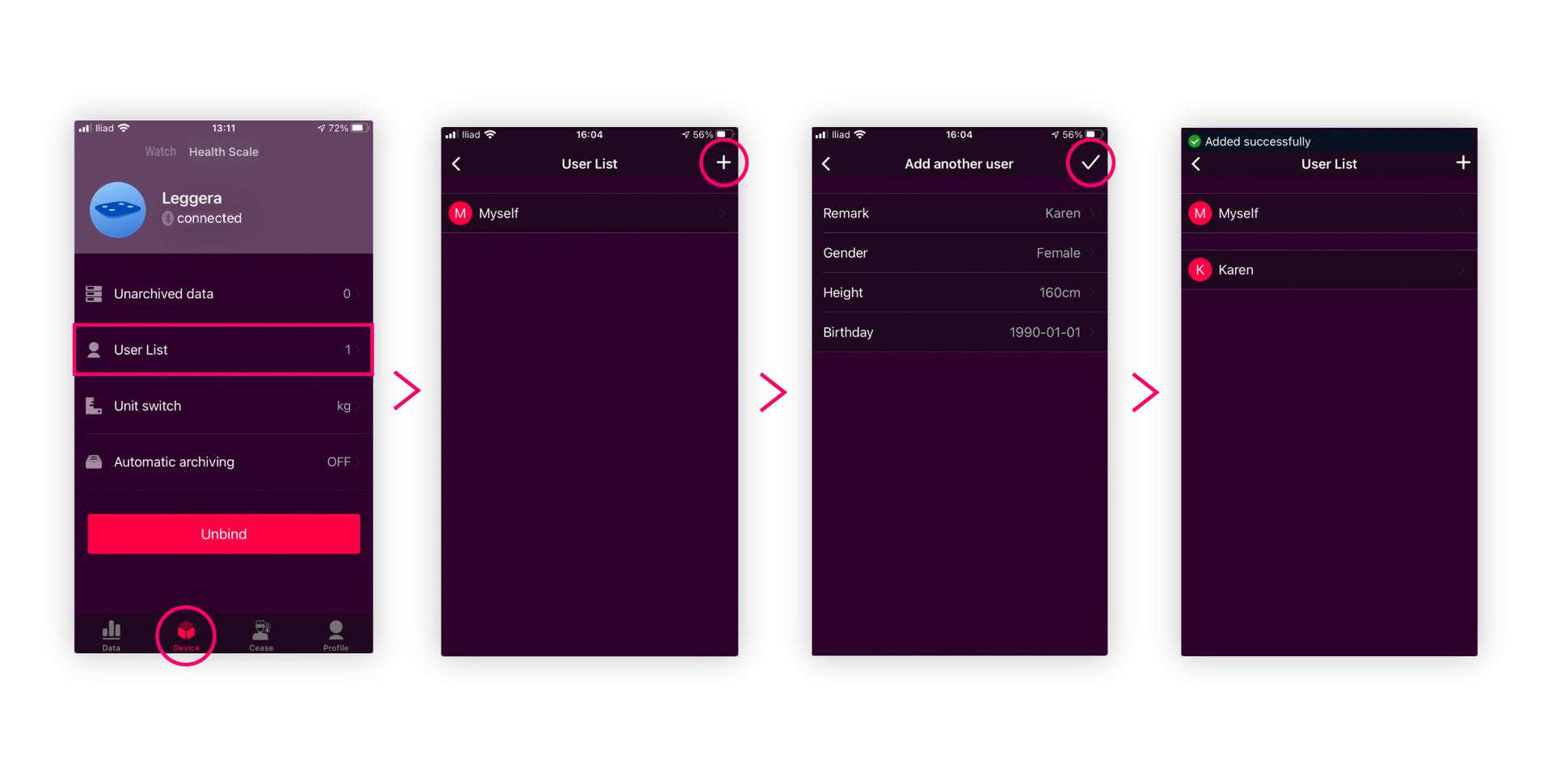
- Open the app and go to the Device section (screen’s bottom bar) > User List.
- Click the + on the screen’s upper right corner. In Add another user, register the person’s personal information and click on the √ on the screen’s upper right corner.
- You’ll see your new user in the User List.